
Setting up a custom domain with DNS records
Use your own domain name for your wedding website by adding DNS records at your domain registrar.
Want to use your own domain for your wedding website? Like sarahandjohn.com instead of sarahandjohn.wedsites.com? You can do that with any WedSites plan.
What you'll need
Your own domain name. You'll need to buy this from a domain registrar like GoDaddy, Namecheap, Google Domains, or any other domain provider.
Access to your domain's DNS settings. This is where you manage the technical settings for your domain. Every domain registrar has this, but they call it different things (DNS settings, domain settings, nameservers, etc.).
Which domains work
You can use apex domains (like sarahandjohn.com) or subdomains (like wedding.sarahandjohn.com).
We don't support subdirectories. So you can't use something like sarahandjohn.com/wedding. It needs to be the main domain or a subdomain.
Adding your domain to WedSites
First, tell WedSites what domain you want to use:
- Go to Settings > General in your main navigation
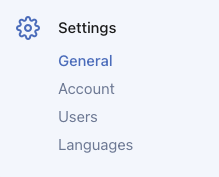
- Find the custom domain field

- Enter your domain (like sarahandjohn.com)
- Click Save changes

Now you need to set up your DNS records so your domain points to WedSites.
Setting up DNS records
You'll need to add DNS records at your domain registrar (not in WedSites). Which records you need depends on whether you're using an apex domain or a subdomain.
Important: Before adding records, check for existing A records. Your domain may already have A records for @ from your registrar's default setup, a built-in website builder, or a parking page. You must delete any existing A records for @ that don't point to 37.16.10.26. Having multiple A records for the same name causes your site to work only some of the time. See "Conflicting A records" below for details.
A Record (for apex domain like sarahandjohn.com):
- Type: A
- Name: @ (or leave blank, depending on your registrar)
- Value: 37.16.10.26
- There should be only one A record for @. Delete any others.
CNAME Record (for subdomain like www.sarahandjohn.com):
- Type: CNAME
- Name: www (or your subdomain name if not using "www")
- Value: domains.wedsites.com
Which records do I need?
Using apex domain only? (like sarahandjohn.com) - You only need the A record.
Using a subdomain only? (like www.sarahandjohn.com or wedding.sarahandjohn.com) - You only need the CNAME record with your subdomain name.
Best practice (recommended): Add both the A record and CNAME record. This way, both your apex domain (sarahandjohn.com) and www subdomain (www.sarahandjohn.com) will work.
Using a custom subdomain? If you're using something like wedding.sarahandjohn.com instead of www, replace "www" with "wedding" in your CNAME record name.
Finding your DNS settings
Every domain registrar is a little different. Look for something like:
- DNS settings
- DNS management
- Domain settings
- Advanced settings
- Nameservers
If you can't find it, search for "how to edit DNS records" plus your registrar's name (like "how to edit DNS records GoDaddy").
After you add the records
Wait about 15 minutes. DNS changes take a little time to work. Usually it's pretty quick, but sometimes it can take up to 24 hours for everything to update across the internet.
SSL certificate gets added automatically. Once your domain is connected, we'll add an SSL certificate so your site works with https. This happens automatically, you don't need to do anything.
Test your domain. After waiting, try visiting your domain in a browser. You should see your wedding website!
Both versions will work
Once it's set up, both your custom domain and your WedSites subdomain will work. So if your custom domain is sarahandjohn.com, people can visit that OR sarahandjohn.wedsites.com and see your site.
Conflicting A records
This is the most common custom domain issue. If your domain has more than one A record for @ (the apex domain), your website will only work some of the time. The internet picks one of the addresses at random, so visitors sometimes see your wedding site and sometimes see an error or a blank page.
How to check: Go to your registrar's DNS settings and look at all the A records for @. If you see more than one, delete every A record except the one pointing to 37.16.10.26.
Registrar services to watch for: Some registrars (like Squarespace, Wix, or GoDaddy) have their own built-in website builder or parking page that automatically creates A records. You may need to disable these services in your registrar's dashboard before you can delete their A records.
See our FAQ on why your custom domain only works sometimes for a full guide on diagnosing and fixing this.
Troubleshooting
Domain shows "Not found"? Check that you have an A record for @ pointing to 37.16.10.26. If the A record is missing or points to the wrong address, your domain won't reach WedSites. Also make sure you've entered your domain in WedSites under Settings > General.
Domain not working after 24 hours? Double check that you entered the DNS records exactly right. Even a small typo can break it. Also check that you don't have multiple A records for @ — this is the most common cause of intermittent issues.
SSL certificate not showing? Give it a bit more time. The certificate usually installs within a few hours of your domain connecting.
Getting errors? Make sure you entered your domain correctly in WedSites settings. It should be just the domain, like sarahandjohn.com, not http:// or https://.
Removing your custom domain
If you want to stop using your custom domain:
- Go to Settings > General
- Clear out the custom domain field
- Click Save changes
Your WedSites subdomain will still work. Your custom domain will stop showing your wedding site.
You'll also want to remove the DNS records from your domain registrar if you're going to use that domain for something else.
Related articles
Need help?
Custom domains can be a bit technical. If you're stuck, reach out to our support team and we'll walk you through it!